
All products Klaq CONTRACTS · Clear agreements before the work begins · Beta
Client contracts from draft to signature
Put scope, payment terms and signatures in one place. Draft a client agreement, review the details and send it for electronic signing with Klaq Contracts, currently in beta.
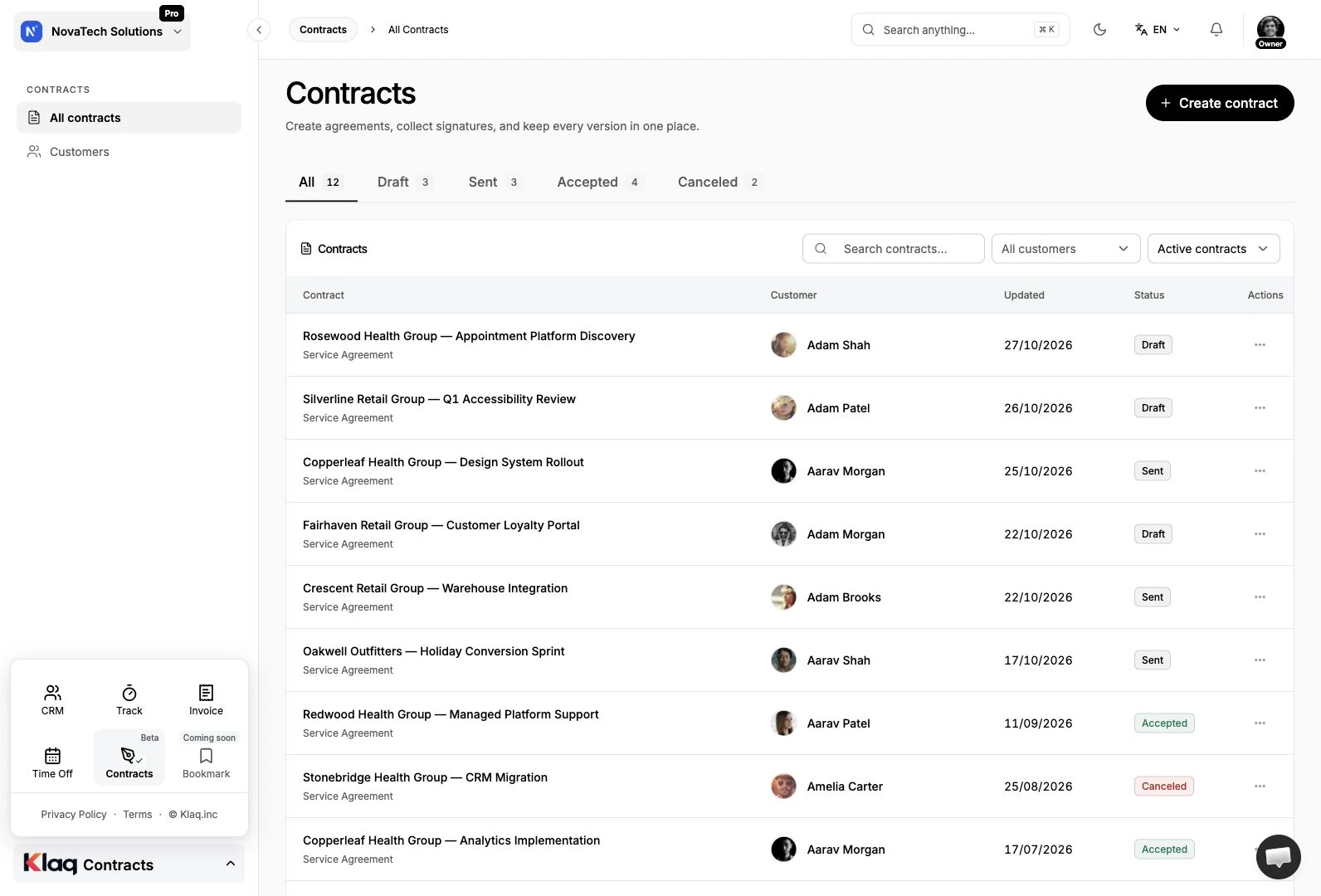
A clear path from agreement to signed contract
Review the agreement together
Sign and keep the final record
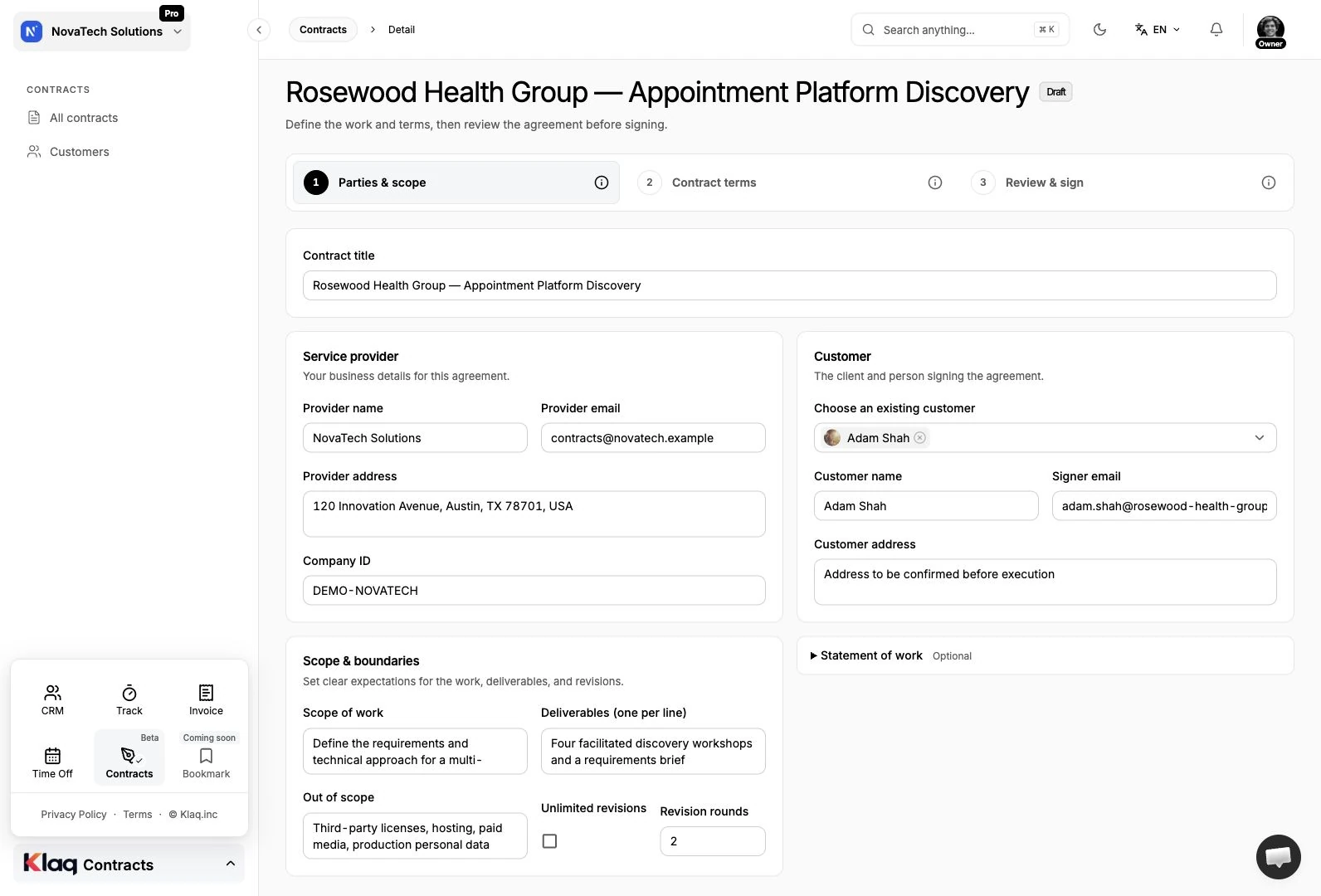
01 / PARTIES & SCOPE
Start with a shared understanding
Bring your customer details and project scope into the same agreement. Set out the services, deliverables and responsibilities before work starts.
- Customer and provider details
- Services and deliverables
- Reusable customer records
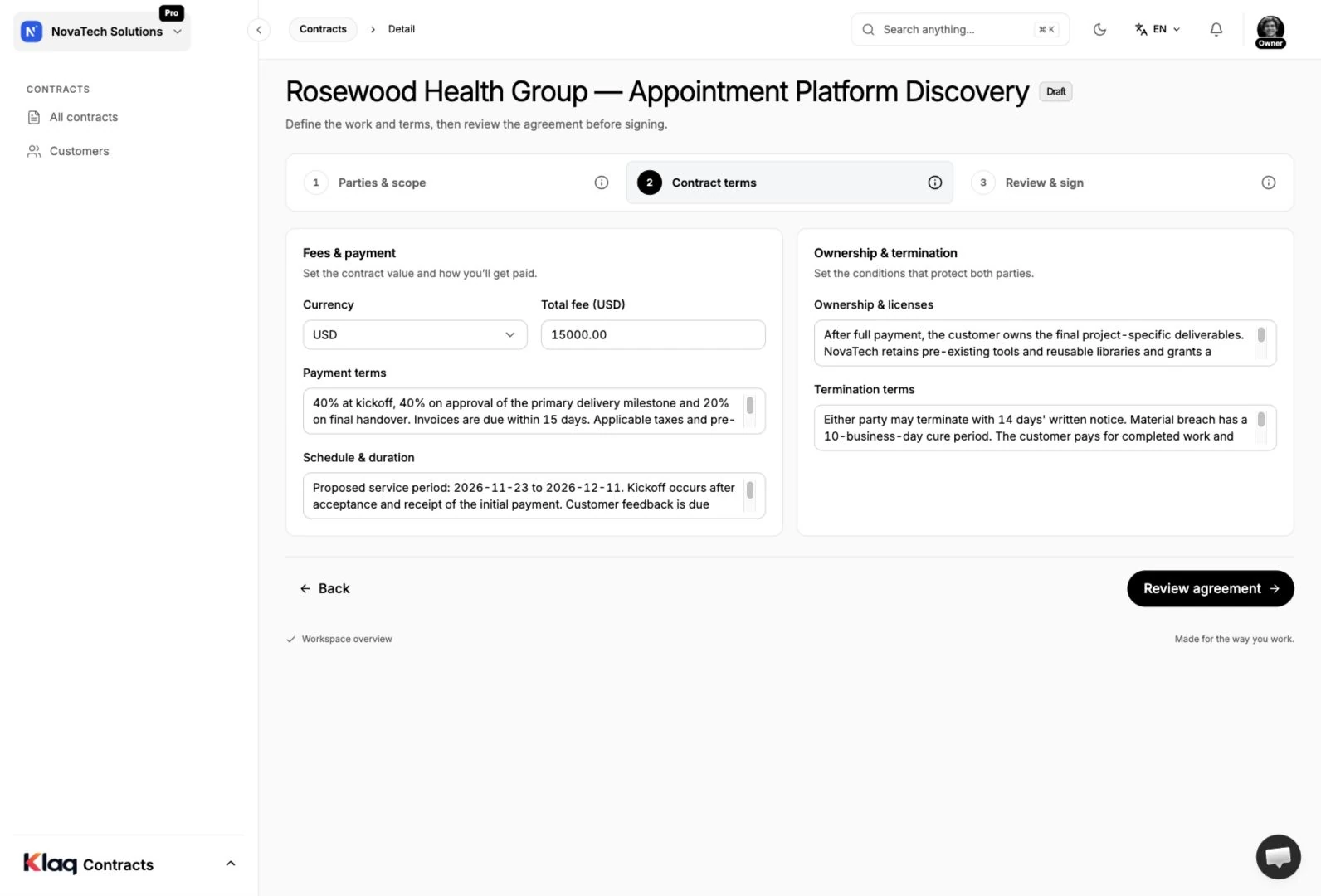
02 / TERMS & PAYMENT
Make the important details explicit
Document how the work will be paid for and the conditions that apply. Keep payment, intellectual property and termination terms alongside the scope.
- Fees and payment schedule
- Intellectual property terms
- Termination and other conditions
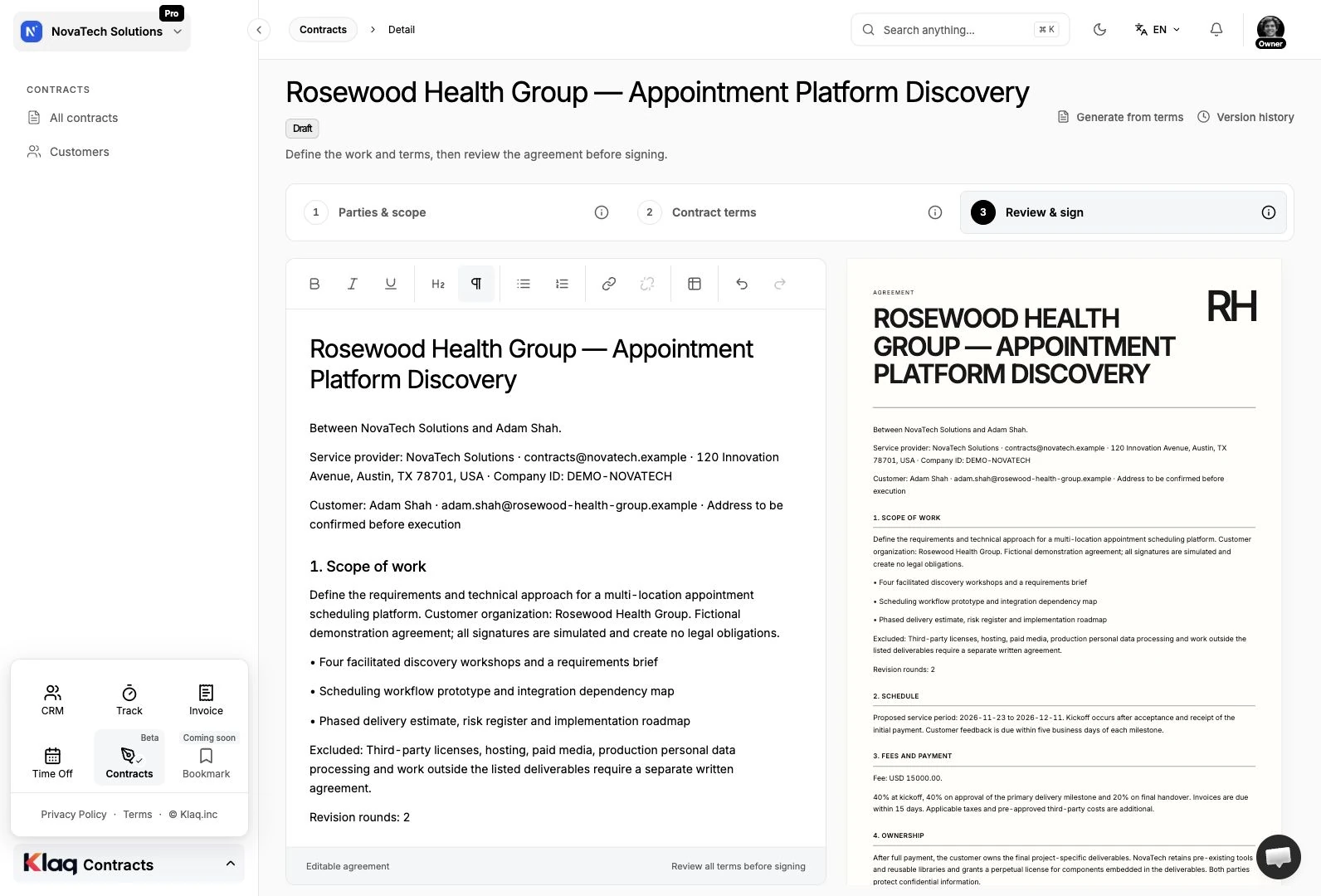
03 / REVIEW & SIGNING
Send an agreement everyone can review
Preview the agreement before signing and send your customer a signing link. Signatures are tied to the exact prepared version, keeping the signed content clear.
- Agreement preview before signing
- Electronic signatures for both parties
- Customer signing link
04 / CONTRACT RECORDS
Keep the agreement close to the work
Find your agreements in a dedicated contract register. Follow their status, revisit version history and download the contract PDF when you need a copy.
- Searchable contract register
- Contract status and version history
- Downloadable contract PDFs
Your Contracts questions, answered.
Is Contracts available now?
Contracts is currently in beta. You can draft agreements, prepare them for signing and manage contract records in your Klaq workspace.
How does my customer sign?
Send your customer a signing link from the contract. They can review the prepared agreement and add their electronic signature through that link.
Can I keep a PDF copy?
Yes. You can download a contract PDF and return to the contract record to review its status, signatures and version history.
YOUR NEXT STEP
Make room for better work.
Start with Contracts. Explore the rest of Klaq as your business grows.
Start for free